New avatar and game photo upgrades
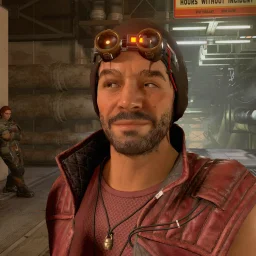
 Freestar Collective
Upload multiple game photos, set an avatar, faster photo browsing and nav
More updates for folks.
Setup your Avatar
Built in a way to upload and crop your avatar correctly for use on the site. Right now, it will show on mod reviews and, of course, your user profile, but I'll be expanding its usage in the future.
Dashboard Upgrades
I rewrote the dashboard area to optimize for faster/better control of your account and settings. There are lots of game photo management improvements further down, but other areas that saw improvements was the mod author following area (where you can see more info on your favorite mod authors).
Game Photo Management
I wanted to give established users a way to more easily upload and manage multiple photos, so you'll see big improvements with the image uploader as well as changes to how you edit your image information. I've tried to make sure all of it works well on mobile, but let me know if you run into any trouble with it.
Game Photo Browsing
I wanted to make it easier and faster to browse the many game photos we have and hope to have added. Some improvements:
- Browsing forward/backward just reloads the image and content without reloading the entire page.
- Prefetching next/previous to support faster browsing when desired
- Added the ability to expand to the full-size image on mobile with pinch zooming support
- Next/previous should honor the filtering and sorting you were using on when viewing the grid of photos.
Since you can link your photos to a mod, I'll soon add showing your photos on those mod detail pages.
Please comment with any feedback, issues or concerns you may have. I still have lots of things I'll be getting to in the future to build upon what we have here.
As always, many thanks to all that choose to contribute here! Catch a smile on the blackest sea!