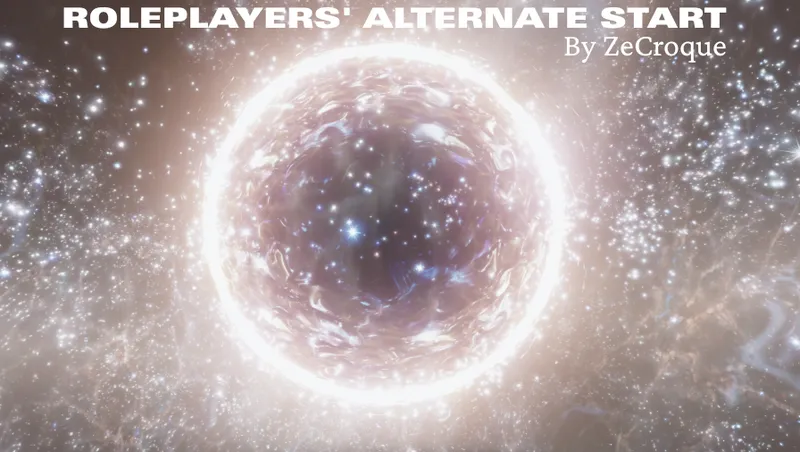
Roleplayers' Alternate Start
By ZeCroque
Community Rating
1. OVERVIEW
Tired of always starting your journey as a miner on Vectera? NG+ doesn't suit you? Roleplayers' Alternate Start is what you've been waiting for!
Inspired by classic mods like Start Me Up (Fallout 4) and Alternate Start – Live Another Life (Skyrim), this mod provides a fully dynamic alternate beginning framework designed for roleplayers, modders, and explorers alike.
Features
- Multiple paths into the main quest: Discover your first artifact naturally during exploration, get help from a mysterious new NPC, or follow the original miner introduction by taking the job at Argos HQ.
- Unique starting options: Start shipwrecked on a remote planet and build a rescue beacon to escape. Or begin without a ship (or with a grounded one) and earn enough credits to get back into space. And more!
- Immersive introduction: Begin your journey in a custom area inspired by the Unity, seamlessly integrated into the game's lore and narrative.
- Made with compatibility in mind: The mod relies primarily on hooks and replacers, keeping vanilla quest edits to an absolute minimum to ensure compatibility with most mods.
- Dynamic integration: Automatically detects and integrates mod-added locations, ships, and items into the starting options. No patches required.
- Modder-friendly: Built from the ground up to be easily extended by other mod authors. Documentation is planned for a future release. Also fully open-source.
2. DETAILS
Main Quest Edits
There are three ways to begin the main quest:
1. Argos Recruit (Vanilla Start)
Visit the Argos Extractors Office in the Valberg Building, located in New Atlantis' Commercial District. Accepting the job starts the original vanilla introduction on Vectera.
2. Organic Discovery
Artifact Eta can be discovered naturally during exploration.
- By default, it has a 33% chance to appear after level 5 when entering an eligible location.
- These conditions can be customized through Gameplay Options.
- A complete list of eligible locations is available in the FAQ.
Discovering the artifact launches an alternate introduction that bypasses the Vectera opening sequence.
3. The Guide
Speak with "The Guide", a unique Starborn NPC who appears at the Viewport in New Atlantis after your first encounter with the Hunter.
"The Guide" will direct you toward Artifact Eta and initiate the same alternate introduction as the "Organic Discovery" path.
How the Alternate Introduction Works
- Once acquired, you may choose what to do with the artifact. Whatever you choose, Constellation will eventually learn of its existence and reach out to you.
- Barrett will leave to assist the Vectera Mining Operation before your arrival at the Lodge. During his recovery of Constellation's second artifact, Barrett attracted pirate attention, prompting the Argos miners to call for help after discovering evidence of hostile activity in the area.
- After entering the Lodge, you will proceed through the standard Constellation intro with new dialogue that does not reference Argos or Vectera
- After Sarah's first quest, you will be tasked with rescuing Barrett on Vectera, again with no prior miner references.
- Completing Barrett's rescue grants access to the Frontier via a brief follow-up quest.
- The vanilla "One Small Step" quest is skipped entirely. As a result, events depending on it will not occur (e.g. the SSNN interview about the Vectera events). For compatibility with certain mods, you may still wish to mark the quest as completed. This can be done through the "Narrative Adjustments" terminal, but will disable the "Argos Recruit" entry point into the main quest.
The three starting methods are mutually exclusive: choosing one will disable the others.
Starting Options
Choose from a variety of starting scenarios:
- At a major Settlement or Starstation (except quest-locked ones, like Crucible or Dazra)
- At a Random POI (outpost, mine or dungeon): with customizable criteria to determine the type of planet it will spawn on
- Shipwrecked: crash-land in the middle of nowhere and call for help using a rescue beacon (the beacon can also be used during normal gameplay!)
- In your House/Dream Home/Parent's Home
Starting home
Start with any vanilla home already unlocked (except quest-tied ones, like the Mercury Tower Penthouse) as well as a selection of supported mod-added homes. Currently most of DownfallNemesis' house mods are supported (see my Discord server for a detailed list).
Starting Ship & Vehicle Options
Pick any vanilla ship as your starting one at a custom ship technician (or even mod-added ones if you have the Ship Vendor Framework installed). You can also customize it or unlock vehicles, at no cost.
Alternatively, you can begin without a ship and acquire one later through normal gameplay.
Broken Ship Start
Once you've selected a ship, a new "Narrative Adjustment" becomes available at the dedicated terminal. It's called "Broken Ship Start" and will make your ship unable to take off at first.
- If you start in a major Settlement or Starstation, you will need to ask a ship technician to repair it.
- If stranded in a remote location, you'll need to explore a nearby dungeon and gather the required parts to repair your ship and take off (if you escape the remote planet by other means, you can ask any ship technician to repair and recover your abandoned ship).
Gear Options
Build a custom starting loadout using a vending terminal that dynamically offers items from vanilla Starfield and compatible mods. Items must be distributed through leveled lists to appear automatically.
Set a budget to limit your starting gear for a more immersive experience, or use the free shopping option to assemble your perfect loadout.
Manage your Character
Customize your starting character by adjusting their level and setting their Piloting skill to any rank without completing the associated challenges.
Ships offered by the custom technician and gear available through the vending terminal automatically scale with your chosen level.
NG+ Starts
When doing NG+, you will be prompted if you want to go through the Vanilla process or if you want to customize this new beginning.
- The "Vanilla" option preserves continuity with your previous universe, adapting the Lodge introduction based on whether your previous character followed the Argos miner path or an alternate start.
- The "Custom" option comes with extra "Narrative Adjustments":
- Argos Miner: choose whether your counterpart in this universe is/was an Argos miner, regardless of the path taken in your previous universe.
- Non-Starborn NG+: removes Starborn-specific dialogue, allowing you to experience the new universe as if this were a fresh playthrough. Unity progression is still preserved for future universes.
Regardless of your "Narrative Adjustments" choices, you may keep the Starborn Guardian, exchange it for another ship, or even start without a ship entirely.
You're also free to dispose of the Starborn Suit if you don't want it (sell it to the gear terminal or drop it).
You will also find the "Quantum Entanglement Device" inside the custom Unity, in case you want to pick up the gear you transferred from your previous universe early on.
Immediate Starborn
You can choose to begin as a first-rank Starborn right from the main menu, gaining immediate access to the Starborn Guardian, the Starborn suit, and all Starborn-specific dialogue options.
In addition, the "Quantum Entanglement Device" found within the custom Unity gains an alternative purpose when starting as a Starborn. With it, you can:
- Unlock all Starborn powers
- Learn all available "foreknowledge", granting access to every Starborn dialogue option.
Supported languages
The mod is available in the following languages:
- English
- French
- German (thanks to PearlCanopus)
- Simplified Chinese (incomplete)(thanks to Peter4Master)
3. FREQUENTLY ASKED QUESTIONS
In which POI can the artifact added by the mod spawn?
Here's a list:
- Abandoned Mineral Refinery
- NeuraDyne Botany Laboratory
- Abandoned Muybridge Pharmaceuticals Lab
- Forgotten Mech Graveyard
- Deserted Robotics Lab
- Abandoned Cryo Lab
- Abandoned Maintenance Bay
- Pressurized Cave
- Occupied Cave
- Deserted UC Listening Post
- Abandoned Mine
- Thermal Rise
- Hillside Cave
- Mineral Caverns
- Cave
Does it support vanilla traits ?
Yes, indeed. There's a few things to note however :
- While I made it so you can visit your parents from game start, they will only have dialogs after you join Constellation
- The adoring fan will only show up after you complete the "Echoes From Vectera" quest, otherwise his dialogs wouldn't have made any sense (thanks to TwoArmedMan15 for suggesting that)
- The dream home quest will trigger at the start of the game (you need to complete "One Small Step" in vanilla)
I found a mention to Constellation/Vectera in the dialogs with that NPC, can you fix it?
Yes, that's in my plans. Currently the mod only covers the first steps of MQ. All other quests/dialogs are left untouched, I'll add them later in an optional file (to ensure maximum compatibility with the base mod). Please check in the Planned Features topic on my Discord server if you find that dialog already listed before requesting.
Find more questions on my Discord server.
4. FEEDBACK & MORE
Found a bug or have an idea for new features? Needs more info? Go to my Discord server! Discord: https://discord.gg/K9Jk4y2tjJ
Whant to know more about me and my other projects? Check my links! LinkTree: https://linktr.ee/zecroque
Release notes
Playstation
-
1.2.2- The smallest maximum level for the starting system is now 5
- Changed the "Complete vanilla 'One Small Step' " narrative adjustment to a gameplay option
- Made sure the artifact can still randomly spawn if "The Guide" has appeared
- Changed "The Guide" spawning logic to be more reliable and added a fix for existing saves
- Removed the settled systems planets exclusion from the shipwrecked start to alleviate issues with POI mods
- Made it so the rescue ship won't despawn after saving/reloading
- Fixed Lin being stuck in front of Vectera spacedock if doing the Argos start
- Added a new map marker exclusion list for modders -
1.2.1- Made sure the Guide will appear if player has already spoken to the Hunter before updating the mod
- Restricted the Guide quest location level to current player level
- Made sure the frontier is inaccessible before the end of "Echoes of Vectera" to prevent issues
- Updated various messages and texts to reflect changes and new features added lately -
1.2.0# New features
- Added new NPC (unvoiced), that can lead the player to the artifact location. It will appear where the Hunter usually stand at The Viewport in New Atlantis, after having spoken to the latter once
- Revamped the "broken ship" narrative adjustment:
- If starting in a random POI, the behaviour will be the same as before
- If starting in an handcrafted location (settlement/starstation...), you will be directed to a ship tech to repair your ship
- If you start in a random POI but escape the planet you're on without the broken ship, there will be an optional objective to ask a ship tech for recovery (in addition to the classic repair on seat behaviour)
- Made it possible to fast travel locally on planet with the scan menu
- Tweaked the "Level Manager" prop in the starting cell to be a "Character Skills Manager", capable of both leveling up and setting the piloting skill rank directly
- Added the "Quantum Entanglement Device" from the "Free Lanes" update (the starborn container you normally build at the lodge) to the starting cell (if starborn)
- Added new "Immediate NG+" choice when creating a new game
- Repurposed the "Quantum Entanglement Device" for Immediate NG+: it can unlock all starborn spells and/or give you all Starborn foreknowledge (useful for dialogs)
# Gameplay options
- Revamped gameplay options to behave better with the "Free Lanes" update
- Replaced the "Customize Main Quest Starting Conditions" narrative adjustment by gameplay options
- Replaced the broken ship and shipwrecked map marker narrative adjustments by gameplay options
- Added new repair cost option for the broken ship narrative adjustment (if repairing/recovering from ship tech)
- Added new version entry in gameplay options
- Added new debug gameplay option to forcibly unlock the lodge
- Removed the old debug option around placeholder ship since the issue is long gone from the mod
# And more! See the full changelog in the *CHANGELOG* topic on my Discord server. -
1.1.8Fixed the logic meant to repair existing savegame that was triggering multiple times on existing saves and messing with the startup process on new ones. Should sidely fix a lot of issues with new games (plus).
-
1.1.7- Fixed a bug preventing "Into The Unknown" to start (works retro-actively on existing saves)
- Fixed a bug making Vasco think the Constellation crew was dead, making it impossible to recruit and starting the NG+ path (works retro-actively on existing saves)
- Fixed a bug that would make your ship disappear after reloading with the "Broken Ship" narrative adjustment
- Fixed a bug that would prevent your ship to spawn with the "Broken Ship" narrative adjustment if you don't start inside it
- Added missing voice for Matsura and Andreja
- Fixed voices on Xbox and PS5 -
1.1.6- Made sure the adoring fan quest is only triggered if the player has the Trait
- Added new dialogs and a warning when Argos start is not available (because of the Narrative Adjustment or outdated mod)
- Added support for the Creation "Customizable Expansion Delay" by SamanthaSays -
1.1.6bReupload because of a deployment problem.
-
1.1.5- Fixed the lodge door not opening
- Fixed the issue that was unlocking all free lanes ship modules at start
- Made sure the adoring fan trait is triggered if starting the MQ at Argos Offices
- Hidden the Kreet laboratory map marker in order to prevent issues if player goes here before starting the MQ
- Prevented the ship tech hello mentionning Constellation to occur when player has not joined
- Made sure the Starborn suit is added back if player chooses to reset his gear at the gear terminal
- Made sure the Starborn suit is not added to the gear terminal after a reset
- Made sure the chosen budget is kept after resetting the gear terminal
- Put aside all mod-added item at startup and added them back upon Unity exits (made sure they are not deleted by the gear terminal)
- Fixed wrong numbers on budget options in terminal
- Fixed a bug that would make the materials spawn out of bound for the broken ship and the shipwrecked quests
- Fixed a bug that would make the materials spawn in an inacessible loot chest inside civilian POIs with the broken ship and the shipwrecked quests
- Made it so the "Broken Ship" NA is considered a pedestrian start (fixes issues if you were willing to use another ship than your broken one; will be the foundation stone for a revamp of that quest in the next update)
- Merged Shattered Space, Terran Armada and POI Variations patches into the main mod (no dependencies, it's all script based)
- Updated support for DWN's Neon Core Appartment mod
PC
-
1.2.2- The smallest maximum level for the starting system is now 5
- Changed the "Complete vanilla 'One Small Step' " narrative adjustment to a gameplay option
- Made sure the artifact can still randomly spawn if "The Guide" has appeared
- Changed "The Guide" spawning logic to be more reliable and added a fix for existing saves
- Removed the settled systems planets exclusion from the shipwrecked start to alleviate issues with POI mods
- Made it so the rescue ship won't despawn after saving/reloading
- Fixed Lin being stuck in front of Vectera spacedock if doing the Argos start
- Added a new map marker exclusion list for modders -
1.2.1- Made sure the Guide will appear if player has already spoken to the Hunter before updating the mod
- Restricted the Guide quest location level to current player level
- Made sure the frontier is inaccessible before the end of "Echoes of Vectera" to prevent issues
- Updated various messages and texts to reflect changes and new features added lately -
1.2.0# New features
- Added new NPC (unvoiced), that can lead the player to the artifact location. It will appear where the Hunter usually stand at The Viewport in New Atlantis, after having spoken to the latter once
- Revamped the "broken ship" narrative adjustment:
- If starting in a random POI, the behaviour will be the same as before
- If starting in an handcrafted location (settlement/starstation...), you will be directed to a ship tech to repair your ship
- If you start in a random POI but escape the planet you're on without the broken ship, there will be an optional objective to ask a ship tech for recovery (in addition to the classic repair on seat behaviour)
- Made it possible to fast travel locally on planet with the scan menu
- Tweaked the "Level Manager" prop in the starting cell to be a "Character Skills Manager", capable of both leveling up and setting the piloting skill rank directly
- Added the "Quantum Entanglement Device" from the "Free Lanes" update (the starborn container you normally build at the lodge) to the starting cell (if starborn)
- Added new "Immediate NG+" choice when creating a new game
- Repurposed the "Quantum Entanglement Device" for Immediate NG+: it can unlock all starborn spells and/or give you all Starborn foreknowledge (useful for dialogs)
# Gameplay options
- Revamped gameplay options to behave better with the "Free Lanes" update
- Replaced the "Customize Main Quest Starting Conditions" narrative adjustment by gameplay options
- Replaced the broken ship and shipwrecked map marker narrative adjustments by gameplay options
- Added new repair cost option for the broken ship narrative adjustment (if repairing/recovering from ship tech)
- Added new version entry in gameplay options
- Added new debug gameplay option to forcibly unlock the lodge
- Removed the old debug option around placeholder ship since the issue is long gone from the mod
# And more! See the full changelog in the *CHANGELOG* topic on my Discord server. -
1.1.8Fixed the logic meant to repair existing savegame that was triggering multiple times on existing saves and messing with the startup process on new ones. Should sidely fix a lot of issues with new games (plus).
-
1.1.7- Fixed a bug preventing "Into The Unknown" to start (works retro-actively on existing saves)
- Fixed a bug making Vasco think the Constellation crew was dead, making it impossible to recruit and starting the NG+ path (works retro-actively on existing saves)
- Fixed a bug that would make your ship disappear after reloading with the "Broken Ship" narrative adjustment
- Fixed a bug that would prevent your ship to spawn with the "Broken Ship" narrative adjustment if you don't start inside it
- Added missing voice for Matsura and Andreja
- Fixed voices on Xbox and PS5 -
1.1.6- Made sure the adoring fan quest is only triggered if the player has the Trait
- Added new dialogs and a warning when Argos start is not available (because of the Narrative Adjustment or outdated mod)
- Added support for the Creation "Customizable Expansion Delay" by SamanthaSays -
1.1.6bReupload because of a deployment problem.
-
1.1.5- Fixed the lodge door not opening
- Fixed the issue that was unlocking all free lanes ship modules at start
- Made sure the adoring fan trait is triggered if starting the MQ at Argos Offices
- Hidden the Kreet laboratory map marker in order to prevent issues if player goes here before starting the MQ
- Prevented the ship tech hello mentionning Constellation to occur when player has not joined
- Made sure the Starborn suit is added back if player chooses to reset his gear at the gear terminal
- Made sure the Starborn suit is not added to the gear terminal after a reset
- Made sure the chosen budget is kept after resetting the gear terminal
- Put aside all mod-added item at startup and added them back upon Unity exits (made sure they are not deleted by the gear terminal)
- Fixed wrong numbers on budget options in terminal
- Fixed a bug that would make the materials spawn out of bound for the broken ship and the shipwrecked quests
- Fixed a bug that would make the materials spawn in an inacessible loot chest inside civilian POIs with the broken ship and the shipwrecked quests
- Made it so the "Broken Ship" NA is considered a pedestrian start (fixes issues if you were willing to use another ship than your broken one; will be the foundation stone for a revamp of that quest in the next update)
- Merged Shattered Space, Terran Armada and POI Variations patches into the main mod (no dependencies, it's all script based)
- Updated support for DWN's Neon Core Appartment mod -
1.1.4- Made new ship modules available when MQ is not started
-
1.1.3- Fixed Cruise Mode not available when MQ is not started
- Updated the script so Anchor Point is properly detected as a potential starting location
- Excluded Seokguh Villa from potential starting locations (tied to Trackers Alliance DLC quests)
- Added a warning about the gear removal and how to take it back with the Argos MQ entry point -
1.1.2- Fixed a bug that could make the artifact anim stuck during the Argos tutorial
- Fixed sustenance
- Fixed black screen with NG+
- Fixed Shattered Space not starting with an optional patch file
- Fixed a loading issue that could cause some dialogs scenes to fail in major settlements
- Fixed enlightened and universal lootboxes not being activated
- Fixed the stuff activator during the custom "One Small Step" tutorial giving back the wrong amount of items
- Fixed voices on Xbox
- Made sure the mod will no longer dock your ship on a locked spacestation
- Made sure the lodge door anim will not trigger if you activate it before starting the MQ
- Made sure the Starborn dialog options no longer appear if using the Non-Starborn NG+ option
- Made "One Small Step" the active quest when you start it at the Valbergg building
- Edited miner narrative adjustment description to be more explicit on its uses -
1.1.1First Creations release.
-
1.0.0Placeholder
Xbox
-
1.2.2- The smallest maximum level for the starting system is now 5
- Changed the "Complete vanilla 'One Small Step' " narrative adjustment to a gameplay option
- Made sure the artifact can still randomly spawn if "The Guide" has appeared
- Changed "The Guide" spawning logic to be more reliable and added a fix for existing saves
- Removed the settled systems planets exclusion from the shipwrecked start to alleviate issues with POI mods
- Made it so the rescue ship won't despawn after saving/reloading
- Fixed Lin being stuck in front of Vectera spacedock if doing the Argos start
- Added a new map marker exclusion list for modders -
1.2.1- Made sure the Guide will appear if player has already spoken to the Hunter before updating the mod
- Restricted the Guide quest location level to current player level
- Made sure the frontier is inaccessible before the end of "Echoes of Vectera" to prevent issues
- Updated various messages and texts to reflect changes and new features added lately -
1.2.0# New features
- Added new NPC (unvoiced), that can lead the player to the artifact location. It will appear where the Hunter usually stand at The Viewport in New Atlantis, after having spoken to the latter once
- Revamped the "broken ship" narrative adjustment:
- If starting in a random POI, the behaviour will be the same as before
- If starting in an handcrafted location (settlement/starstation...), you will be directed to a ship tech to repair your ship
- If you start in a random POI but escape the planet you're on without the broken ship, there will be an optional objective to ask a ship tech for recovery (in addition to the classic repair on seat behaviour)
- Made it possible to fast travel locally on planet with the scan menu
- Tweaked the "Level Manager" prop in the starting cell to be a "Character Skills Manager", capable of both leveling up and setting the piloting skill rank directly
- Added the "Quantum Entanglement Device" from the "Free Lanes" update (the starborn container you normally build at the lodge) to the starting cell (if starborn)
- Added new "Immediate NG+" choice when creating a new game
- Repurposed the "Quantum Entanglement Device" for Immediate NG+: it can unlock all starborn spells and/or give you all Starborn foreknowledge (useful for dialogs)
# Gameplay options
- Revamped gameplay options to behave better with the "Free Lanes" update
- Replaced the "Customize Main Quest Starting Conditions" narrative adjustment by gameplay options
- Replaced the broken ship and shipwrecked map marker narrative adjustments by gameplay options
- Added new repair cost option for the broken ship narrative adjustment (if repairing/recovering from ship tech)
- Added new version entry in gameplay options
- Added new debug gameplay option to forcibly unlock the lodge
- Removed the old debug option around placeholder ship since the issue is long gone from the mod
# And more! See the full changelog in the *CHANGELOG* topic on my Discord server. -
1.1.8Fixed the logic meant to repair existing savegame that was triggering multiple times on existing saves and messing with the startup process on new ones. Should sidely fix a lot of issues with new games (plus).
-
1.1.7- Fixed a bug preventing "Into The Unknown" to start (works retro-actively on existing saves)
- Fixed a bug making Vasco think the Constellation crew was dead, making it impossible to recruit and starting the NG+ path (works retro-actively on existing saves)
- Fixed a bug that would make your ship disappear after reloading with the "Broken Ship" narrative adjustment
- Fixed a bug that would prevent your ship to spawn with the "Broken Ship" narrative adjustment if you don't start inside it
- Added missing voice for Matsura and Andreja
- Fixed voices on Xbox and PS5 -
1.1.6- Made sure the adoring fan quest is only triggered if the player has the Trait
- Added new dialogs and a warning when Argos start is not available (because of the Narrative Adjustment or outdated mod)
- Added support for the Creation "Customizable Expansion Delay" by SamanthaSays -
1.1.6bReupload because of a deployment problem.
-
1.1.5- Fixed the lodge door not opening
- Fixed the issue that was unlocking all free lanes ship modules at start
- Made sure the adoring fan trait is triggered if starting the MQ at Argos Offices
- Hidden the Kreet laboratory map marker in order to prevent issues if player goes here before starting the MQ
- Prevented the ship tech hello mentionning Constellation to occur when player has not joined
- Made sure the Starborn suit is added back if player chooses to reset his gear at the gear terminal
- Made sure the Starborn suit is not added to the gear terminal after a reset
- Made sure the chosen budget is kept after resetting the gear terminal
- Put aside all mod-added item at startup and added them back upon Unity exits (made sure they are not deleted by the gear terminal)
- Fixed wrong numbers on budget options in terminal
- Fixed a bug that would make the materials spawn out of bound for the broken ship and the shipwrecked quests
- Fixed a bug that would make the materials spawn in an inacessible loot chest inside civilian POIs with the broken ship and the shipwrecked quests
- Made it so the "Broken Ship" NA is considered a pedestrian start (fixes issues if you were willing to use another ship than your broken one; will be the foundation stone for a revamp of that quest in the next update)
- Merged Shattered Space, Terran Armada and POI Variations patches into the main mod (no dependencies, it's all script based)
- Updated support for DWN's Neon Core Appartment mod -
1.1.4- Made new ship modules available when MQ is not started
-
1.1.3- Fixed Cruise Mode not available when MQ is not started
- Updated the script so Anchor Point is properly detected as a potential starting location
- Excluded Seokguh Villa from potential starting locations (tied to Trackers Alliance DLC quests)
- Added a warning about the gear removal and how to take it back with the Argos MQ entry point -
1.1.2- Fixed a bug that could make the artifact anim stuck during the Argos tutorial
- Fixed sustenance
- Fixed black screen with NG+
- Fixed Shattered Space not starting with an optional patch file
- Fixed a loading issue that could cause some dialogs scenes to fail in major settlements
- Fixed enlightened and universal lootboxes not being activated
- Fixed the stuff activator during the custom "One Small Step" tutorial giving back the wrong amount of items
- Fixed voices on Xbox
- Made sure the mod will no longer dock your ship on a locked spacestation
- Made sure the lodge door anim will not trigger if you activate it before starting the MQ
- Made sure the Starborn dialog options no longer appear if using the Non-Starborn NG+ option
- Made "One Small Step" the active quest when you start it at the Valbergg building
- Edited miner narrative adjustment description to be more explicit on its uses -
1.1.1First Creations release.
-
1.0.0Placeholder
Additional Screenshots Available
This mod has 12 additional screenshots available on the official Bethesda.net page.
View All Screenshots on Bethesda.netYouTube Videos
Community Rating & Feedback
No reviews with comments yet.
Be the first to leave a review!
Related Starfield Mods
By shadedness • 2 years ago
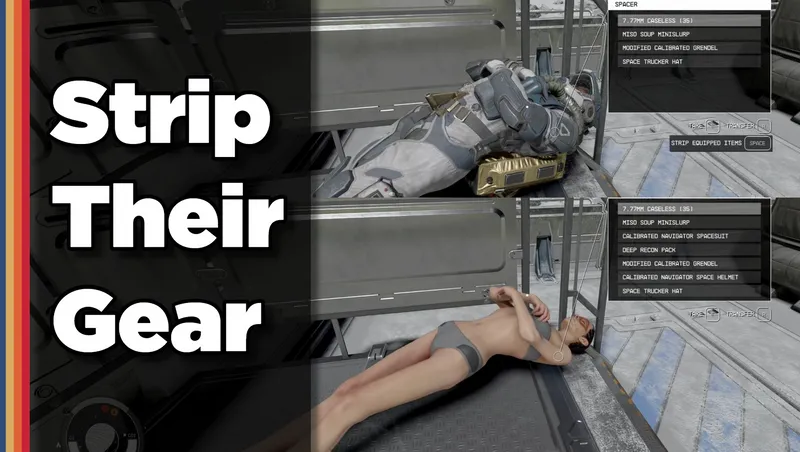
Strip any equipped armor or clothes from your fallen foes! Or simply loot-all with 1 button. Steal items from knocked-out targets instead of pick-pocketing and waking them up!
By DownfallNemesis • 2 years ago
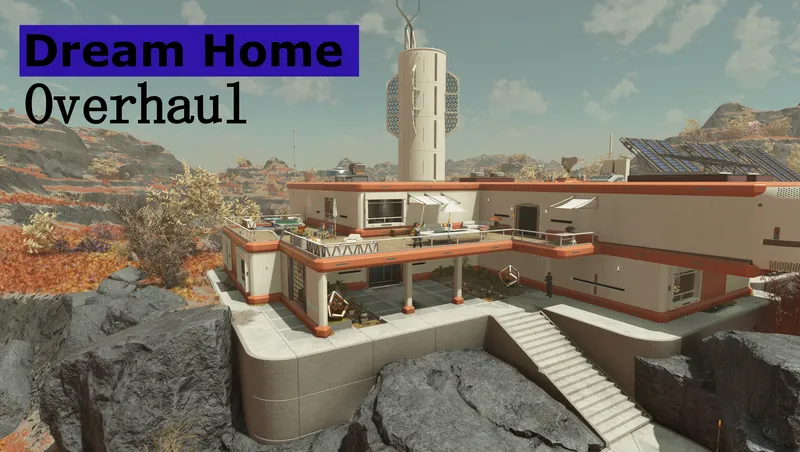
Overhaul of the Dream Home. Moved the homes interior into the exterior cell of Nesoi. Added several buildings outside which contain all workbenches, a vendor and a ship builder!
By SKKmods • 2 years ago
Fast Start New Game bypasses the Argos-Atlantis tutorials starting new and NG+ games from various locations with full character configuration and custom loadouts.
By Deebz • 2 years ago
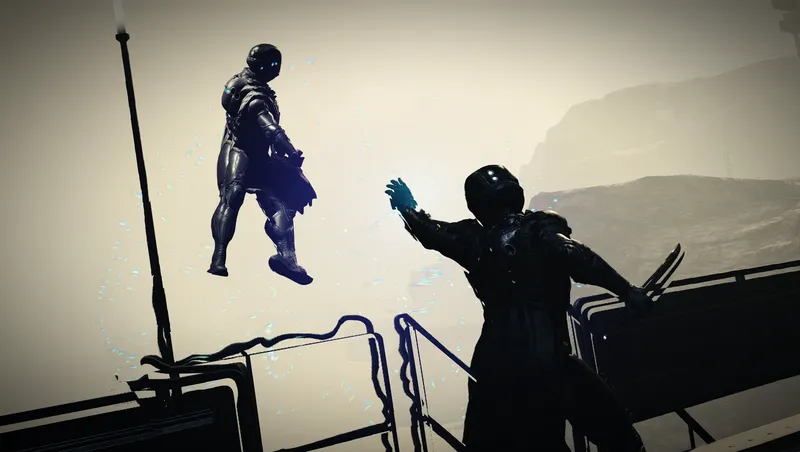
Turns Gravity Wave into a proper “force push” power, using ragdoll physics instead of the vanilla knockdown animations. Designed to be fair and balanced.
Quick Actions
Your Rating
Sign in to rate and review this mod—your vote helps the community.
Community Rating
Categories
Mod Information
- Published
- Jan 28, 2026
- Last Updated
- Jul 19, 2026
- Platforms
- Playstation, PC, Xbox
Search Mods
More by ZeCroque
Related Starfield Mods