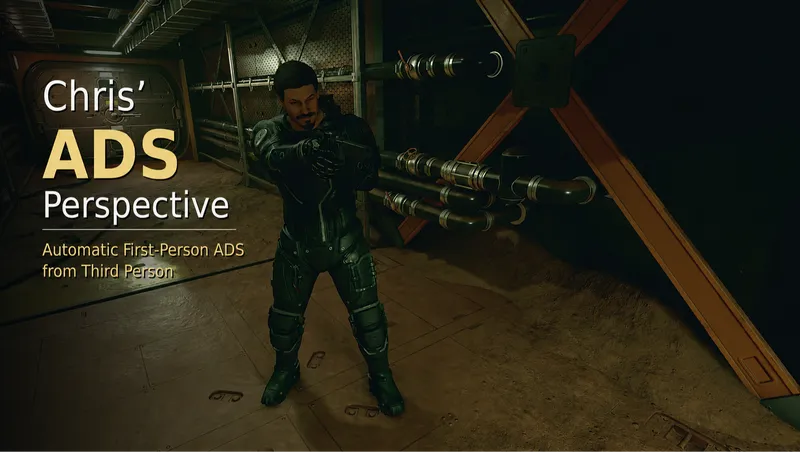
Chris’ ADS Perspective
By Chrisrous
Community Rating
Chris' ADS Perspective automatically switches to First Person when ADS begins in Third Person. When the managed aiming sequence ends, the camera returns to Third Person.
ADS that begins in First Person remains in First Person and does not force a return to Third Person.
An optional Weapon Drawn View can also switch the camera to First Person when you draw a weapon in Third Person, then return to Third Person when you holster it.
A FAMILIAR CAMERA FLOW Third-person exploration. First-person sights. No grav jump required.
MAIN FEATURES
- Automatic First-Person ADS when aiming begins in Third Person
- Origin-aware return to Third Person
- First-Person-origin actions remain in First Person
- Optional First-Person Weapon Drawn View
- Optional Third-Person Reload View
- Automatic handover between weapon-drawn, ADS, and reload camera states
- Optional Diagnostic Logging for troubleshooting
- Improved camera and input transition handling
- Save and load reconciliation
- Four native Gameplay settings
- Vanilla Creation Kit and Papyrus implementation
- No SFSE or native DLL dependency
- No Address Library or other external runtime dependency
- No third-party mod dependency
- Localized settings text for nine languages
WHAT THE MOD CHANGES Chris' ADS Perspective manages camera perspective during ADS and, when enabled, while your weapon is drawn.
It does not change:
- Aim assist, lock-on, or target selection
- Accuracy, recoil, spread, damage, or projectiles
- Time scale or enemy marking
- Weapon animations or combat AI
- General camera behavior outside the managed perspective sequences
GAMEPLAY SETTINGS All settings are available under:
Settings
Gameplay Chris' ADS Perspective
Automatic First-Person ADS: On / Off
Enabled by default.
Automatically switches to First Person when you aim down sights from Third Person. Turn this Off to disable the feature without removing the mod.
Third-Person Reload View: On / Off
Disabled by default.
When enabled, reloads remain in Third Person when aiming started in Third Person. If you continue aiming after the reload, the camera automatically returns to First Person.
First-Person Weapon Drawn View: On / Off
Disabled by default.
When enabled, drawing a weapon in Third Person automatically switches the camera to First Person. Holstering the weapon returns the camera to Third Person.
The setting works together with Automatic First-Person ADS and Third-Person Reload View, allowing the camera to hand over between weapon-drawn, aiming, and reload states.
Diagnostic Logging: On / Off
Disabled by default.
Enables detailed controller and settings logs for troubleshooting. This setting is independent of the main ADS toggle and should only be enabled while investigating a problem.
INSTALLATION Install and manage Chris' ADS Perspective through the Starfield Creations interface. Ensure that the Creation is downloaded and enabled before loading your save.
COMPATIBILITY AND TESTING Standard keyboard and mouse controls were tested with Hold ADS and Toggle ADS. Specific DualSense USB configurations were also tested.
The implementation does not depend on specific keyboard, mouse, or controller buttons. It is compatible with remapped controls by design.
Weapon Drawn View, ADS, reload arbitration, camera transitions, and rapid state changes were regression-tested on PC. The following areas have not been comprehensively tested:
- Bluetooth controllers
- Third-party input tools
- Camera and FOV mods
- Scope, animation, and weapon mods
- Broad gameplay-mod and load-order combinations
Creations or mods that automate, force, or override camera perspective during aiming, weapon handling, or related camera transitions may conflict.
KNOWN LIMITATION A managed ADS sequence that begins from the distant normal Third-Person camera position returns to the normal nearer Third-Person camera position when aiming ends. This is a known limitation of the current Vanilla implementation.
DISABLING WITHOUT REMOVAL Open the Starfield Gameplay settings and set Automatic First-Person ADS to Off. If First-Person Weapon Drawn View is enabled, set that option to Off as well. The Creation can remain installed and the features may be enabled again later.
REMOVAL Physical removal from an existing save is not guaranteed to be safe. Before removing the Creation:
- Turn Automatic First-Person ADS Off in Gameplay settings.
- Turn First-Person Weapon Drawn View Off if it is enabled.
- Finish any active aiming or reload sequence.
- Create a separate manual save outside combat and ADS.
- Close Starfield completely.
- Remove or disable the Creation through the Creations interface.
Removing the Creation from an existing save may produce a missing-content warning or leave plugin references in that save. A save created before installing the Creation, or a new game, remains the guaranteed clean removal boundary.
LANGUAGES Localized settings text is included for:
- English
- French
- Italian
- German
- Spanish
- Japanese
- Polish
- Brazilian Portuguese
- Simplified Chinese
SUPPORT BOUNDARY Tested on PC.
COMMUNITY AND SUPPORT For bug reports, feedback, and discussion, visit the Chrisrous Mods Discord: https://discord.gg/nU5csFyyBB
CREDITS Created by Chrisrous. No third-party mod assets are included.
Release notes
Playstation
-
1.2## Version 1.2
* Added **First-Person Weapon Drawn View** as a new optional Gameplay setting.
* Drawing a weapon in Third Person switches to First Person.
* Holstering the weapon returns to Third Person.
* Disabled by default.
* Integrated Weapon Drawn View with **Automatic First-Person ADS** and **Third-Person Reload View**.
* Improved camera handover and cleanup during weapon switching, ADS, reloads, save/load, and rapid state changes.
* Improved handling of unarmed states to prevent incorrect weapon-drawn camera switches.
* Updated all native Gameplay settings and included localisations.
* No new external runtime dependencies. -
1.00VERSION 1.1
- Added the optional Third-Person Reload View setting
- Added optional Diagnostic Logging for troubleshooting
- Improved camera transitions during ADS, reloads, and rapid input changes
- Added additional safeguards against delayed or outdated camera switches
- Updated all included localizations
- No new external dependencies
Both new settings are disabled by default. -
1.00Initial release of Chris’ ADS Perspective.
- Automatically switches aiming down sights that begins in Third Person to First Person.
- Returns to Third Person when the managed ADS sequence ends.
- Preserves First-Person-origin ADS without forcing a Third-Person return.
- Includes reload-aware camera handling and save/load reconciliation.
- Adds a native Gameplay On/Off setting.
- Requires no SFSE, DLL, Address Library, or external runtime dependency.
- Includes localized settings text for English, French, Italian, German, Spanish, Japanese, Polish, Brazilian Portuguese, and Simplified Chinese.
Known Limitation:
ADS that begins from a distant Third-Person camera position may return to a nearer Third-Person distance.
Compatibility:
Standard keyboard and mouse controls and controller configurations on PC were tested.
PC
-
1.2## Version 1.2
* Added **First-Person Weapon Drawn View** as a new optional Gameplay setting.
* Drawing a weapon in Third Person switches to First Person.
* Holstering the weapon returns to Third Person.
* Disabled by default.
* Integrated Weapon Drawn View with **Automatic First-Person ADS** and **Third-Person Reload View**.
* Improved camera handover and cleanup during weapon switching, ADS, reloads, save/load, and rapid state changes.
* Improved handling of unarmed states to prevent incorrect weapon-drawn camera switches.
* Updated all native Gameplay settings and included localisations.
* No new external runtime dependencies. -
1.00VERSION 1.1
- Added the optional Third-Person Reload View setting
- Added optional Diagnostic Logging for troubleshooting
- Improved camera transitions during ADS, reloads, and rapid input changes
- Added additional safeguards against delayed or outdated camera switches
- Updated all included localizations
- No new external dependencies
Both new settings are disabled by default. -
1.00Initial release of Chris’ ADS Perspective.
- Automatically switches aiming down sights that begins in Third Person to First Person.
- Returns to Third Person when the managed ADS sequence ends.
- Preserves First-Person-origin ADS without forcing a Third-Person return.
- Includes reload-aware camera handling and save/load reconciliation.
- Adds a native Gameplay On/Off setting.
- Requires no SFSE, DLL, Address Library, or external runtime dependency.
- Includes localized settings text for English, French, Italian, German, Spanish, Japanese, Polish, Brazilian Portuguese, and Simplified Chinese.
Known Limitation:
ADS that begins from a distant Third-Person camera position may return to a nearer Third-Person distance.
Compatibility:
Standard keyboard and mouse controls and controller configurations on PC were tested.
Xbox
-
1.2## Version 1.2
* Added **First-Person Weapon Drawn View** as a new optional Gameplay setting.
* Drawing a weapon in Third Person switches to First Person.
* Holstering the weapon returns to Third Person.
* Disabled by default.
* Integrated Weapon Drawn View with **Automatic First-Person ADS** and **Third-Person Reload View**.
* Improved camera handover and cleanup during weapon switching, ADS, reloads, save/load, and rapid state changes.
* Improved handling of unarmed states to prevent incorrect weapon-drawn camera switches.
* Updated all native Gameplay settings and included localisations.
* No new external runtime dependencies. -
1.00VERSION 1.1
- Added the optional Third-Person Reload View setting
- Added optional Diagnostic Logging for troubleshooting
- Improved camera transitions during ADS, reloads, and rapid input changes
- Added additional safeguards against delayed or outdated camera switches
- Updated all included localizations
- No new external dependencies
Both new settings are disabled by default. -
1.00Initial release of Chris’ ADS Perspective.
- Automatically switches aiming down sights that begins in Third Person to First Person.
- Returns to Third Person when the managed ADS sequence ends.
- Preserves First-Person-origin ADS without forcing a Third-Person return.
- Includes reload-aware camera handling and save/load reconciliation.
- Adds a native Gameplay On/Off setting.
- Requires no SFSE, DLL, Address Library, or external runtime dependency.
- Includes localized settings text for English, French, Italian, German, Spanish, Japanese, Polish, Brazilian Portuguese, and Simplified Chinese.
Known Limitation:
ADS that begins from a distant Third-Person camera position may return to a nearer Third-Person distance.
Compatibility:
Standard keyboard and mouse controls and controller configurations on PC were tested.
Additional Screenshots Available
This mod has 3 additional screenshots available on the official Bethesda.net page.
View All Screenshots on Bethesda.netYouTube Videos
Community Rating & Feedback
No reviews with comments yet.
Be the first to leave a review!
Related Starfield Mods
By shadedness • 2 years ago
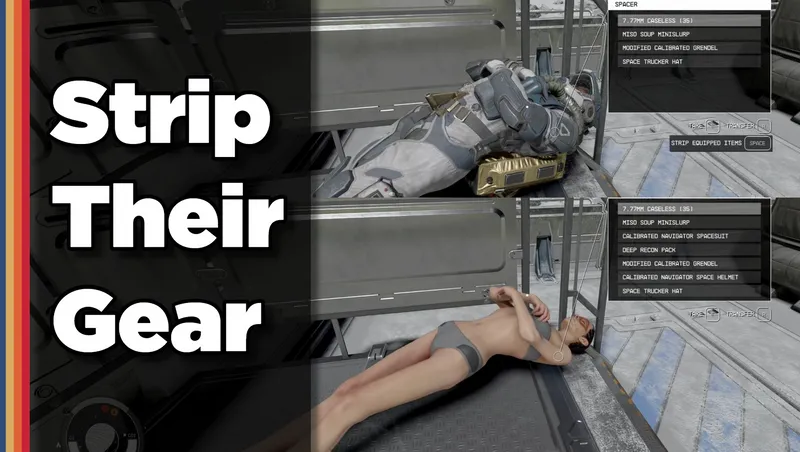
Strip any equipped armor or clothes from your fallen foes! Or simply loot-all with 1 button. Steal items from knocked-out targets instead of pick-pocketing and waking them up!
By Deebz • 2 years ago
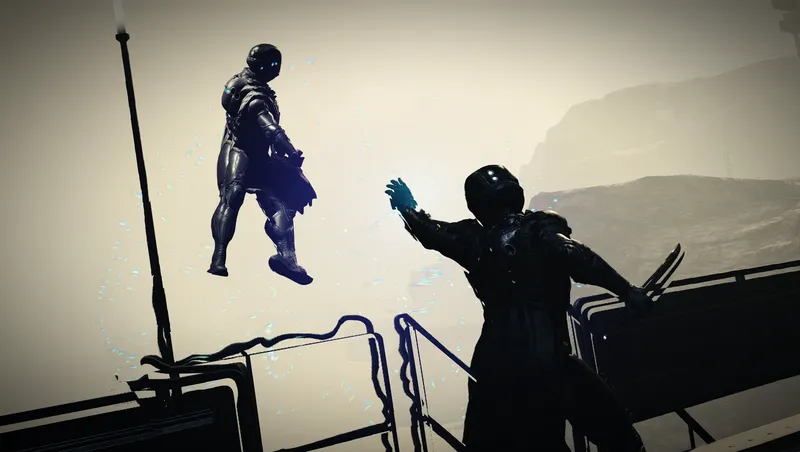
Turns Gravity Wave into a proper “force push” power, using ragdoll physics instead of the vanilla knockdown animations. Designed to be fair and balanced.

By shadedness • 2 years ago
Camping! Harvesting! More weapon damage! Vehicle cargo storage! Works with ALL VEHICLES - tune some vehicle features using the added options in the Gameplay Options menu.
By DownfallNemesis • 2 years ago
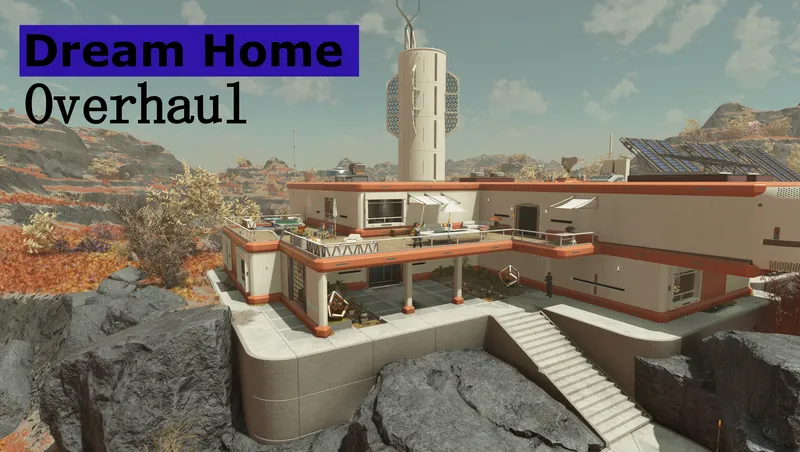
Overhaul of the Dream Home. Moved the homes interior into the exterior cell of Nesoi. Added several buildings outside which contain all workbenches, a vendor and a ship builder!
Quick Actions
Your Rating
Sign in to rate and review this mod—your vote helps the community.
Community Rating
Mod Information
- Published
- Jul 27, 2026
- Last Updated
- Aug 11, 2026
- Platforms
- Playstation, PC, Xbox
Search Mods
Related Starfield Mods