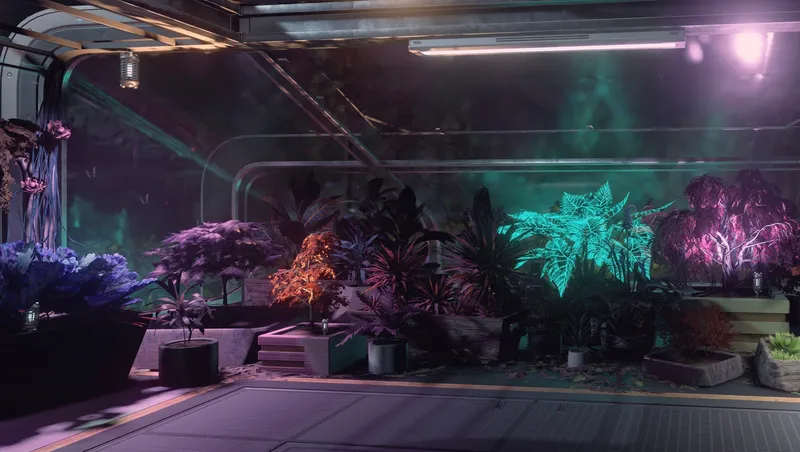
Outpost Botanics & Utilities
By Star_Pegasus
Community Rating
Outpost Botanics & Utilities enhances outposts with a supplemental collection focused on botanical elements, living spaces, ship maintenance and utilities, and custom structures. All items are located in a custom build menu tab, no perks or skill requirements, 1 credit each to build.
HORTICULTURAL SPECIALIZATION
- Custom greenhouse habs with foundations: standalone structures (empty & decorated versions) with safe-environment interiors. Note: greenhouses do not produce outpost resources (e.g. nutrient, fiber) and are not required for harvest containers to yield produce.
- Raised Garden Beds & Harvest Containers: gardens for aesthetic display, simple respawning containers for each crop yield modest harvests.
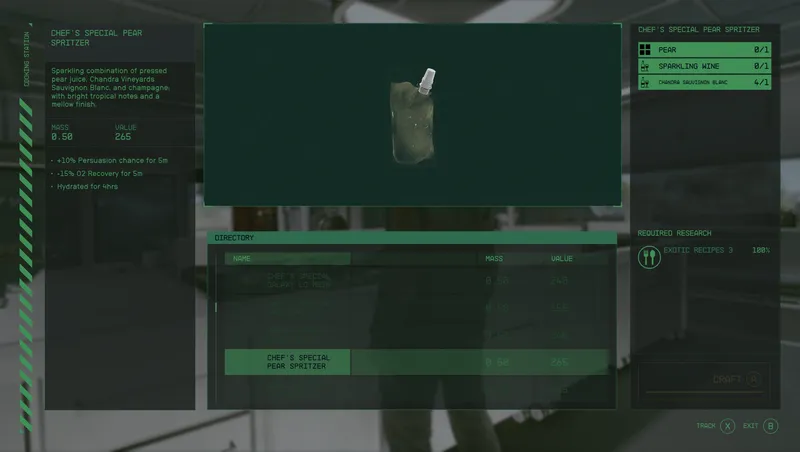
- Cooking Recipes: found in vanilla cooking workbench - homemade wheat bread (using xeno wheat from harvest container), black coffee (thanks for the idea, Rue!), and pumpkin spice latte - a Wilby favorite.
- Landscaping with technology: Shrubs and trees with Xeno-Transplant Stabilization Circulators and Monitoring Probes include visible tech alongside the ability to place non-native specimens.
LIVING SPACES
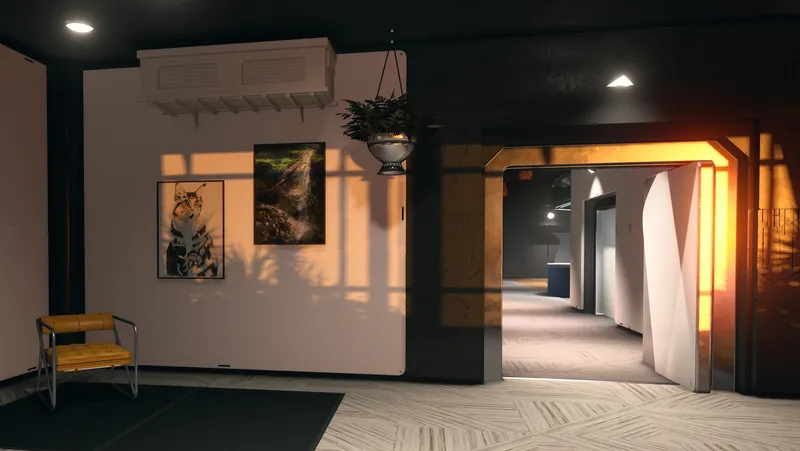
- Horticultural Decor: An expansive collection of potted plants, ceiling- and wall-mounted planters, and hanging vines bring vibrant, chaotic life to interiors.
- Custom Workbenches: Tabletop and counter-style stations designed to blend crafting utility with ambience.
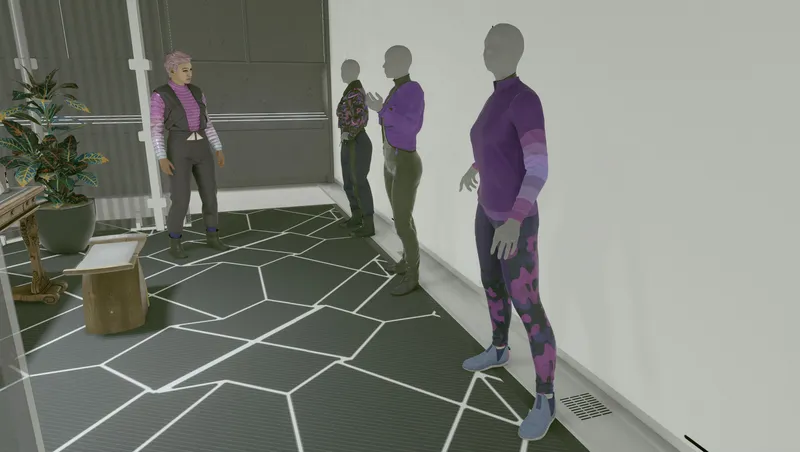
- Personalized Crew Stations: Assign crew to outposts with stations that reflect specific roles and backgrounds.
- Crew Activity Sets: Vignettes provide crew with interactive tasks around the outpost. This includes indoor/outdoor activities, placement indicators for easy setup, and a variety of idle mats with unique animations. Some Crew Activities also available to build in ships.
- Personal Storage Reimagined: Containers that harmonize with and enhance living and utility spaces for outposts and ships, by incorporating a variety of everyday and advanced technological items for storage and display.
OUTPOST UTILITY & DETAILS
- Power Generation: solar panels (various sizes, vanilla-based values) for roofs, platforms, walls, or with integrated truss supports.
- Resource Storage: alternatives to all resource containers with capacities based on vanilla limits.
- Assorted Decor: interactive items, furniture, various planters, custom research lab and industrial workbench (includes a new mod-specific crafting recipe accessible only at this workbench).
- Immersive Accents: greebles for hab interiors and exteriors, rooftop arrays, ship maintenance equipment, utility items.
STRUCTURES
- Glass hallway
- Utility building with safe environment in upper floor
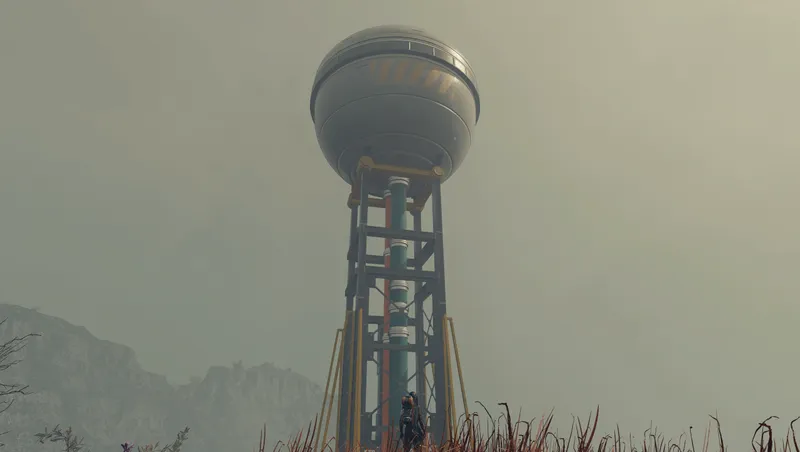
- 40m and 80m Landing Pads - with low height limits, ideal for relatively flat terrain, can be partially sunken. Small landing pad is moderately decorated, includes a building with a safe-environment interior on the upper floor; large landing pad has a shipbuilder console and built-in storage bay (more details below)
Notes regarding certain features/known quirks On Features:
- Flexible resource storage placement - no foundations/snaps allow greater freedom including placement on landing pads for most containers (both Solid Storage 200 exceed the footprint limit constraint)
On Build Budget Impact:
- Due to extensive details, some of the decorated greenhouses and small landing pad consume a significant portion of the outpost build budget. Please factor this into your outpost planning.
On Quirks:
- While placing certain structures (such as larger decorated greenhouses) the overhead camera may exhibit erratic behavior (e.g. zooming out, inverted controls). It can be reset by changing the perspective, switching to another build menu tab, or closing/reopening the menu.
- Welder Bots feature a continuous animation loop. As adding a control switch is beyond the mod's current technical scope, users can remove bots to stop play.
- Meters on custom storage containers may show a random value when first placed. Once a resource is added or a harvester/extractor is connected they display correctly.
- Projected Decal persistence: the small landing pad and graffitied cargo container utilize projected decals. These decals may not persist or display correctly on consecutively built items in the same outpost.
- Xbox only: the functional lid storage bins may load in the initial preview without the lid. This corrects itself when the bin is rotated.
- Xbox only: Gear Panel initially loads preview with helmet arms upside down, rotate the panel to correct their position.
- Free Snacks Vending Machine: Initially empty, fast travel to reload the outpost cell fills container. Must empty completely to trigger respawn (sleeping on Venus for 24h is the quickest reset). Partial removal of items appears to disrupt respawn function. Rebuilding Snack Bar resets container's respawn system.
On Resource Storage & Power Gen Capacity:
- Resource containers and solar panels align with Starfield's vanilla capacities to preserve gameplay balance and optimize processing performance across all platforms (particularly consoles).
On Placement:
- Decorated greenhouse furniture markers may be obstructed by uneven terrain. If built-in furniture is inaccessible, rebuild the greenhouse with a slightly taller foundation.
- Wall greebles sit at varying depths.
- Some objects can be finicky to place (i.e. greenhouse frames may not fit in habs, yard fans may sink into ground).
- Missing 'Integrity' Metric on Solar Panels: due to UI limitations, the 'Integrity' bar typical to other power generators is not displayed on solar panels with additional greebles. Damage repair behavior unconfirmed.
- The Wire Shelving with Crates & Canisters can only be placed on landing pads from first person build mode, not in overhead cam mode
- The connection point for the gas storage tank is on the ground below it.
- Workbenches may not function in the smallest greenhouses due to interior space constraints.
Landing Pad Building - Upper Level Access:
- The upper level of the two-story building on the landing pad is navmeshed, but the decorative ladder below the hatch is non-functional. Players will need a boostpack or to stack items for access. NPCs may not be able to independently access this upper level.
On Platforms & NPC Navigation:
- For placement on landing pads, the helper platform is designed without navmesh, making it exclusively player-traversable. It has snaps on all sides to allow placement of platforms with navmesh, a starter hab, and welder bots on landing pads.
- The "helper hab platform" is designed as a temporary starter attachment point for building hab structures on the platforms. It has a known collision which prevents direct access when entries are attached to it. Once another hab is snapped to it, this helper hab platform can be removed. Other platform pieces will then be able to snap together seamlessly under built habs.
- To ensure NPCs can access these platforms and airlock catwalks, there are two different-sized navmeshed stairs that can be placed directly adjacent to the relevant access points. Please note that while NPCs can generally use this pathway, players may occasionally observe the AI exhibiting pathing quirks or hesitations at connection points. This reflects the intricate nature of custom navmesh integration within the game engine.
Regarding Habs on Platforms:
- Habs and airlocks can be built on platforms to hide their foundations, leveraging a specific engine behavior. WARNING: If the platform is deleted, the structure's foundation will reappear. To maintain the foundation-free look, ensure the platform remains in place or pick up and re-place the structure after re-establishing the platform.
- Moving Platforms: it's best to delete and rebuild a platform, as snapping behavior can be inconsistent after initial placement.
COMPATIBILITY NOTES
- When using the Ship Remote Control mod, ships may experience difficulty landing via remote (off center & sunken). Standard fast travel functions normally.
ACCESSIBILITY
- Welder bots' animation includes flashing light, sparks, and noise.
- Most items have their colors listed in their names.
ACKNOWLEDGEMENTS & CONTACT This mod is a passion project to enhance my personal Starfield experience, and I hope it brings similar enjoyment to yours. My gratitude to DownfallNemesis and Miss O for their insights during development, and to Saskia for her invaluable time and effort in testing.
ADDITIONAL INFO For a full overview, to get in touch, or to leave feedback, visit my YouTube channel. A Scavenger List of collectible items and Easter eggs can be found on the overview video.
Please note, if you are experiencing errors or wish to make a bug report, information should be sent directly to me at the contact points below to ensure a timely response. Thank you for your understanding. (Note: underscores do not display on xbox creations description) Nexus: PegasusStarfield Discord: star_pegasus
Release notes
Xbox
-
1.2Outpost Botanics & Utilities v1.2 [9 Feb 26]
__Changes__
- Menu Tab Rearranged
- Workbench Cleanup: Ship Parts now in Custom Industrial Workbench only
- Sustenance Fix: Black Coffee, PSL benefits fixed
- Outpost Balance: Landing pads correctly count toward limit
- Labels: Planter colors added to names
- Stability: Ship Module Shelf 3R placement tilt fixed
- File Cleaned: Removed redundant data
- Logic Fix: Corrected a formlist mis-structure to prevent ship decorator menu errors.
__Additions__
- Round Greenhouse: Empty & decorated versions
- Landscaping with tech: Shrubs and trees with Xeno-Transplant Stabilization Circulators and Monitoring Probes, require direct contact with terrain.
- Personal Storage Reimagined: Containers for living and utility spaces in outposts and ships.
- Custom Workbenches: Tabletop Pharmaceutical Crafting, Weapon Workbench counter
- Personalized Crew Stations: Assign crew using decorated stations
- Crew Activities: Decorated sets and floor mats provide indoor/outdoor interactions for crew. Mats have direction indicators. Universal Crew Activities available to build in ships. (Free snacks vending machine has conditions: see full description.)
- Decor: bin, stool, SuperPooch, floor mats for tiling match Crew Activity Mats, plants (tabletop, potted, wall-mounted), larger potted plants (duotone pots)
__Quirks__
- Landing pad decals may override floor mats
- Biomes may affect landscape plant colors (i.e. pink cage pine turns snowy in frozen biomes)
- Weapons on rifle mats may clip depending on size
- Researcher Office Chair may offset the player character on first use, standing up and re-entering will correctly center them
- Decorated greenhouse furniture markers may be obstructed by uneven terrain. If built-in furniture is inaccessible, rebuild the greenhouse with a taller foundation. -
1.19Data packet failed to upload
-
1.1Outpost Botanics & Utilities v1.1 Update [ 25 Sept 2025 ]
This update addresses a few minor issues and adds new features and items.
Changelog
Fixes:
- Fixed a collision error with glass hallway snapping
- Fixed a collision error in the glass ceiling corner pieces of all medium and large greenhouses
IMPORTANT: PLEASE READ
- Collision fixes: due to a necessary fix for collision errors in the medium and large greenhouses, any previously built versions of these structures will need to be rebuilt after you install this update. Due to the change, existing structures will have ceiling errors and visual abnormalities.
New Features & Items:
- New craftable items at custom workbenches: vanilla potted succulents and vases in a unique color. These can be crafted at the new Potting Bench (accessible from both sides) and tabletop Botanical Crafting Mat.
- A new botanical-themed tabletop Research Lab.
- A unique collectible has been added inside a decorated greenhouse.
- A large outpost landing pad without decorative structures (includes a shipbuilder console).
- The two-story teal building on the small landing pad has been made a stand-alone structure with a custom foundation.
- Buildable potted plants in various sizes. Xeno Orchid, miniatures, and plants on stands have been added to the existing Plants & Planters tab, while a new tab has been added for larger scale planters.
- The potting benches inside the two decorated medium greenhouses have been swapped out for the functional Potting Bench to integrate the new workbench crafting capability. -
1.1aTest file for update 1.1
-
1.00Original file
PC
-
1.2Outpost Botanics & Utilities v1.2 [9 Feb 26]
__Changes__
- Menu Tab Rearranged
- Workbench Cleanup: Ship Parts now in Custom Industrial Workbench only
- Sustenance Fix: Black Coffee, PSL benefits fixed
- Outpost Balance: Landing pads correctly count toward limit
- Labels: Planter colors added to names
- Stability: Ship Module Shelf 3R placement tilt fixed
- File Cleaned: Removed redundant data
- Logic Fix: Corrected a formlist mis-structure to prevent ship decorator menu errors.
__Additions__
- Round Greenhouse: Empty & decorated versions
- Landscaping with tech: Shrubs and trees with Xeno-Transplant Stabilization Circulators and Monitoring Probes, require direct contact with terrain.
- Personal Storage Reimagined: Containers for living and utility spaces in outposts and ships.
- Custom Workbenches: Tabletop Pharmaceutical Crafting, Weapon Workbench counter
- Personalized Crew Stations: Assign crew using decorated stations
- Crew Activities: Decorated sets and floor mats provide indoor/outdoor interactions for crew. Mats have direction indicators. Universal Crew Activities available to build in ships. (Free snacks vending machine has conditions: see full description.)
- Decor: bin, stool, SuperPooch, floor mats for tiling match Crew Activity Mats, plants (tabletop, potted, wall-mounted), larger potted plants (duotone pots)
__Quirks__
- Landing pad decals may override floor mats
- Biomes may affect landscape plant colors (i.e. pink cage pine turns snowy in frozen biomes)
- Weapons on rifle mats may clip depending on size
- Researcher Office Chair may offset the player character on first use, standing up and re-entering will correctly center them
- Decorated greenhouse furniture markers may be obstructed by uneven terrain. If built-in furniture is inaccessible, rebuild the greenhouse with a taller foundation. -
1.19Data packet failed to upload
-
1.1Outpost Botanics & Utilities v1.1 Update [ 25 Sept 2025 ]
This update addresses a few minor issues and adds new features and items.
Changelog
Fixes:
- Fixed a collision error with glass hallway snapping
- Fixed a collision error in the glass ceiling corner pieces of all medium and large greenhouses
IMPORTANT: PLEASE READ
- Collision fixes: due to a necessary fix for collision errors in the medium and large greenhouses, any previously built versions of these structures will need to be rebuilt after you install this update. Due to the change, existing structures will have ceiling errors and visual abnormalities.
New Features & Items:
- New craftable items at custom workbenches: vanilla potted succulents and vases in a unique color. These can be crafted at the new Potting Bench (accessible from both sides) and tabletop Botanical Crafting Mat.
- A new botanical-themed tabletop Research Lab.
- A unique collectible has been added inside a decorated greenhouse.
- A large outpost landing pad without decorative structures (includes a shipbuilder console).
- The two-story teal building on the small landing pad has been made a stand-alone structure with a custom foundation.
- Buildable potted plants in various sizes. Xeno Orchid, miniatures, and plants on stands have been added to the existing Plants & Planters tab, while a new tab has been added for larger scale planters.
- The potting benches inside the two decorated medium greenhouses have been swapped out for the functional Potting Bench to integrate the new workbench crafting capability. -
1.1aTest file for update 1.1
-
1.00Original file
Additional Screenshots Available
This mod has 11 additional screenshots available on the official Bethesda.net page.
View All Screenshots on Bethesda.netYouTube Videos
Community Rating & Feedback
No reviews with comments yet.
Be the first to leave a review!
Related Starfield Mods
By DownfallNemesis • 1 year ago
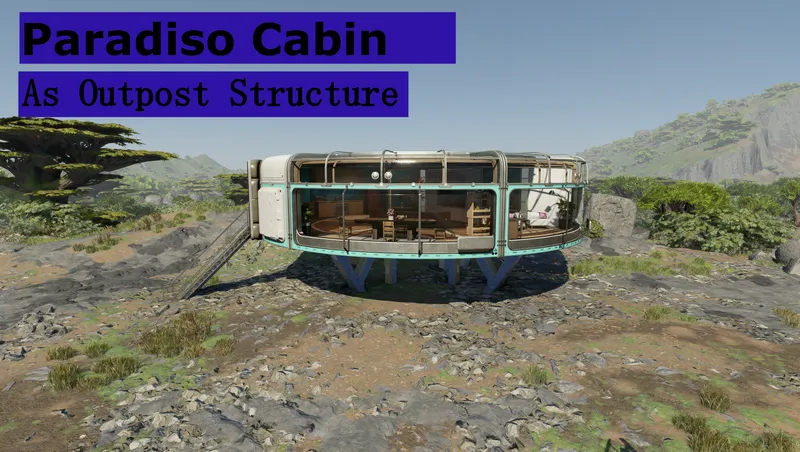
Adds my Paradiso Cabin as build able outpost structure, both available as furnished and empty!
By StackGX • 2 years ago
Better Living adds 700+ various objects from the base game to the outpost, player home, and ship building menus, including buildings, decor, furniture, and many more.
By OldBard • 2 years ago
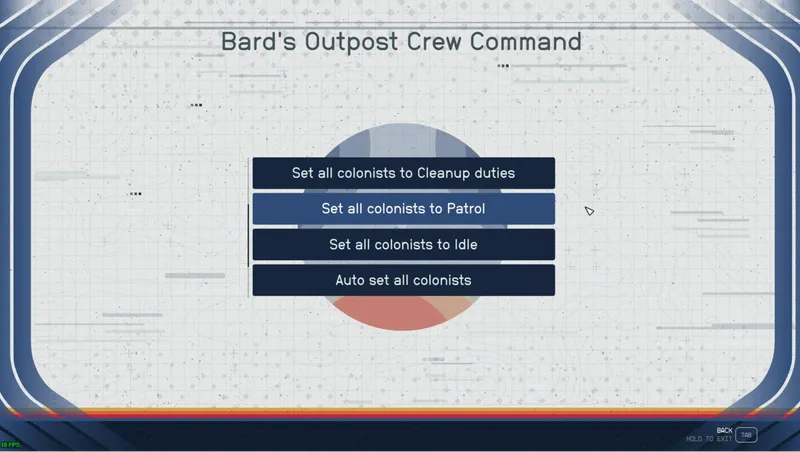
Transform your Outpost into a bustling hub of activity. This mod to gives you the ability to assign meaningful tasks to your crew and watch as your outpost thrives.
By Betamax76 • 2 years ago
Large decorative outpost storage with maxed out capacity.
Quick Actions
Your Rating
Sign in to rate and review this mod—your vote helps the community.
Community Rating
Categories
Mod Information
- Published
- Aug 24, 2025
- Last Updated
- Feb 09, 2026
- Platforms
- PC, Xbox
Search Mods
More by Star_Pegasus

Related Starfield Mods