Extra Face Sliders
By dev.eris
Community Rating
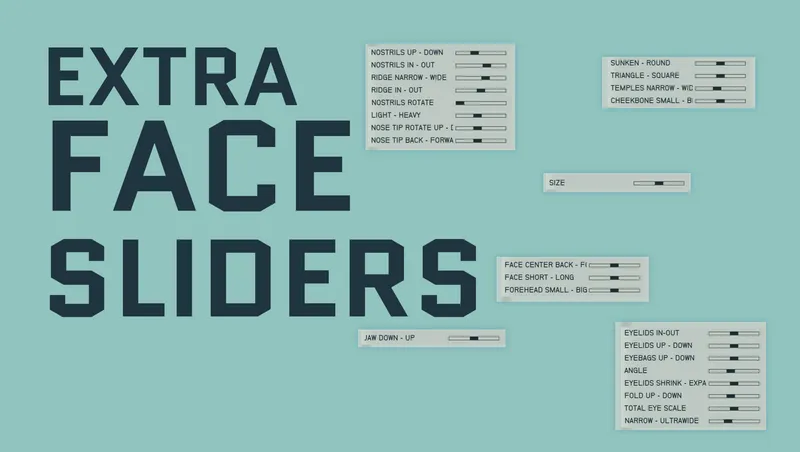
Extra Face Sliders provides many new useful sliders for any human character creation menu available in-game.
For example:
- Will work on existing characters one edits, for example in an Enhance visit.
- Will work on new game.
- Will work with anything else that opens the character creation menu.
List of new sliders:
Chin: size Mouth: thin - full Mouth: narrow - wide Mouth: flat - pointy Mouth: rotate Mouth: lips up - down Mouth: size ratio Mouth: width ratio Mouth: back - forward Mouth: teeth down - up Mouth: teeth back - forward Mouth: teeth scale Mouth: total down - up Cheeks: sunken - round Cheeks: triangle - square Cheeks: temples narrow - wide Cheeks: cheekbone small - big Ears: (Not recommended, makes some hair/hats weird if applied) elf 1 - 2 Ears: rotate Eyes: eyelids in-out Eyes: eyelids up - down Eyes: eyebags up - down Eyes: angle Eyes: eyelids shrink - expand Eyes: fold up - down Eyes: total eye scale Eyes: narrow - ultrawide Forehead: face center back - forward Forehead: face short - long Forehead: forehead small - big Eyebrows: middle narrow - wide Eyebrows: brow angle Eyebrows: small - big Eyebrows: flat - pronounced Eyebrows: middle up - down Eyebrows: individual narrow - wide Eyebrows: total down - up Nose: nostrils rotate Nose: light - heavy Nose: nose tip rotate up - down Nose: nose tip back - forward Jaw: jaw down - up Neck: adams apple
Info on uninstalling If the mod is uninstalled, then the sliders will disappear from the menu and the already applied sliders will stop affecting the character's appearance, as if never applied.

Release notes
Xbox
-
1.0.3Hotfix: Jaw up-down slider was not affecting anything
-
1.0.2Initial Creations Release.
PC
-
1.0.3Hotfix: Jaw up-down slider was not affecting anything
-
1.0.2Initial Creations Release.
Quick Actions
Your Rating
Sign in to rate and review this mod - your vote helps the community.
- Published
- Oct 06, 2026
- Last Updated
- Oct 06, 2026
- Platforms
- PC, Xbox