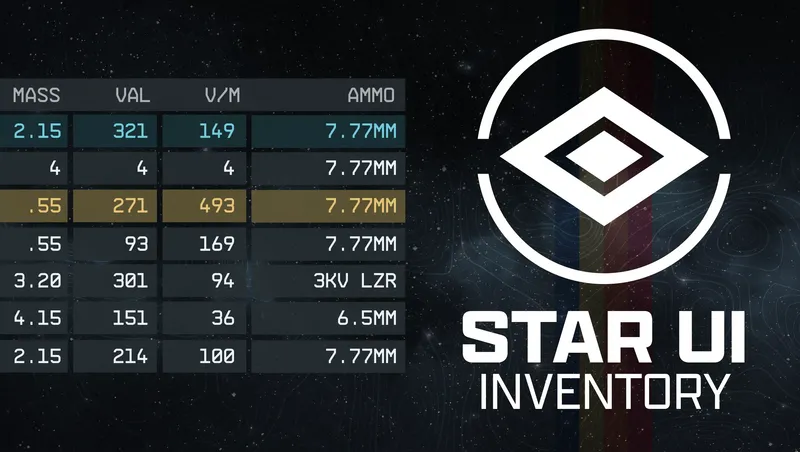
StarUI Inventory
By ZeeOgre
Community Rating
*** THIS IS m8r984f2's CREATION, I HAVE SIMPLY PACKAGED IT FOR HIM!! *** I can take no credit for this other than being able to package it up for CK/XBox!! This is m8r's, he still has full rights and control over it. If he decides he wants to take it down, it'll come down.
AT THIS TIME THERE IS NO PLAN FOR ACHIEVEMENT-FRIENDLY PAID VERSION!!
PC Version: https://www.nexusmods.com/starfield/mods/773
Make sure to head over and send donations and kudos his way!!
HUGE THANKS TO SAMICH FOR FREELANES UPDATE AND FOR THE FIRST TIME -- IN GAME SETTINGS!!
Settings can now be configured in-game using Samich's website for code generation:
https://relay.samich.dev/starui-inventory-relay
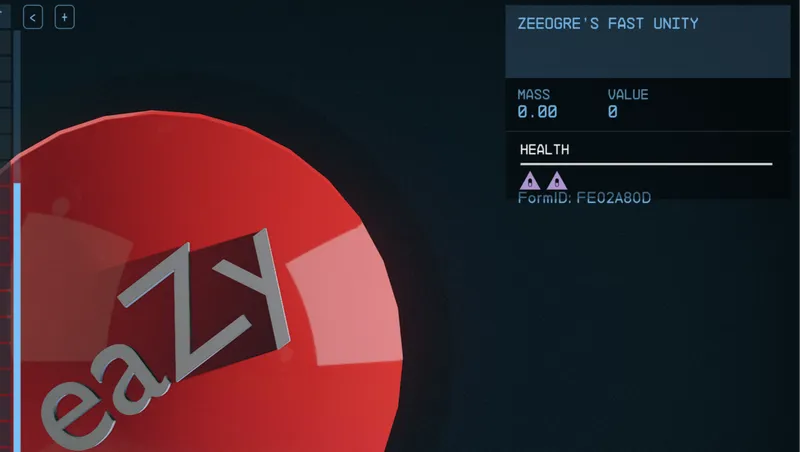
There is a new misc item placed in player inventory which has a QR code for the website. I made it as large as I could, but it can be small. To make it larger Inspect and then zoom in
The QR code SHOULD work even at the smallest setting.
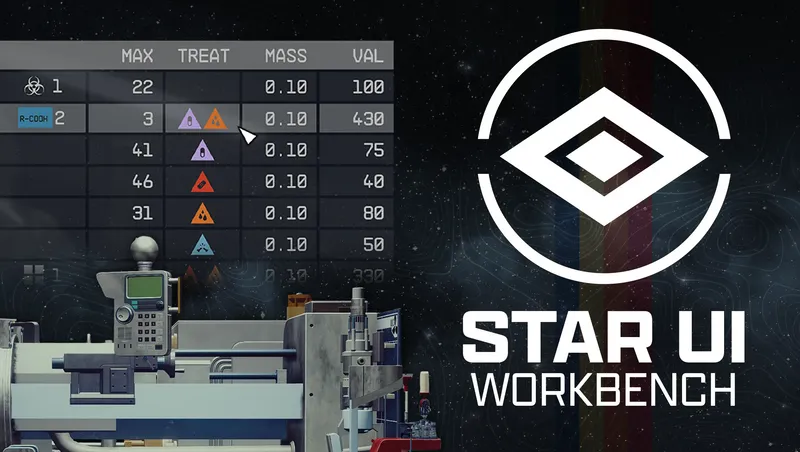
Compact style - See more information at once Over 40 different columns available - Including standards like mass, value, damage, calculated ones like value/mass, mass of stack or DPS ("Burst DPS") and new ones like item-count of other inventories Sort any column with a simple click - Toggle asc/desc by another click New special inventory-lookup column OWNED/SHIP/CARGO - See how many items you have in your backpack/ship! You can (temporarily) add columns directly in-game You can fold the columns to take a look at your item Category icons for all items - So you can directly see what a item is Automatic tagging and sub-categorizing of most important items to further filter your item list down Show all inventory overview in the bottom panel - Including sum/max mass and transfer direction indicator Show summarized mass of each categories Mass-transfer of a single category from/to container or ship and buy/sell for trading - Skips equipped, favorite and configurable excluded items **Option to show the items FormID in the item card (ZeeOgre applied this change to this version) Full Multi-language support - Most languages are available Full controller support - Hold L1 to access the new StarUI Inventory functions
Important Note If you play cross-platform (GamePass PC and XBox) your synchronized saves will display an error that it cannot load this on the PC side. Whether you have the Nexus StarUI installed on your Windows Gamepass install or not, it's PERFECTLY OK -- The "Nexus Side" is a PURE interface override, and there is NO esm/esp that the game file can detect.
This "error" may be safely ignored, as it will not affect your game play at all, and should be resolved once you've made a new save on the PC side (rolling back to the "imported save" will likely trigger the message again.
If you encounter problems, please feel free to reach out to me on the BGS Discord -- remember to do an @ZeeOgre to ping me!
*** Latest interface fix by @Samich -- THANK YOU!!! PC Patch available at: https://www.nexusmods.com/starfield/mods/16439
Release notes
Xbox
-
1.0.260515accidentally clobbered part of the archive (only got the new files for scripts/in-game object, left out the actual "guts" of the mod
-
1.0.260514.1Made the slate larger, and fixed angle.
-
1.0.260514Added QR Code Slate to launch configurator website
-
1.0.2605130.9 of Samich's patch
Small bugfixes
IN-GAME CONFIGURATION
https://relay.samich.dev/starui-inventory-relay
for code generation for the in-game options
(more coming!)
-
1.0.26511This one was on me!
I missed the new inventory count piece.
Re-added in here and AIO -
1.0.26058v0.8
NEW: Quantity Popup - Added ability for Quantity slider to wrap around when reaching the max/min values (e.g. going from 1 to MAX or vice versa)
NEW: Ini Config - Added bItemCardShowExoticBackground to config, allowing users to toggle the exotic rarity background on the Item Card (Default: off)
FIX: Item Card - Background color now properly colorizes based on ini settings similar to how StarUI previously worked; if you want the special Exotic background, you can reenable it with the new config option above
Other minor visual fixes -
1.260429.1Turn on Formid by default
StarUI Inventory
===
v0.7.1
---
- NEW: Added bShowLegendaryDetails to config, allowing users to toggle the display of Legendary Mod details on the Item Card - people like options!
- NEW: Weapon Type icons now have a universal lookup for all weapons (mods, dlc, vanilla) - should work for all weapons that use existing sWeaponTypes (10 variants across 9 languages)
- Change: Updated the behavior of iModsDisplayed: -1 = off (show all), 0 = hide all non-legendary mods, 1 = Compact item, 2+ = Show that many mods minus one.
v0.7
---
- NEW: Added sRarityColorExotic to config, allowing users to set a custom color for Rank 4 items
- NEW: Added iWidescreenOffset and iWidescreenCardOffset to config, allowing users to adjust the horizontal position of inventory elements
- NEW: Added iModsDisplayed to config, allowing users to set the number of mods displayed on equipment; helps with visual clutter to make room for lengthier legendary descriptions
- NEW: bShowFormId will now also show the FormID on the Item Card in the Barter and Container menus (previously only in the main inventory)
- FIX: Resolved an issue with bShowFormId display on the Item Card where some items were not showing their FormID - this should now be fixed for all items
- FIX: Resolved item Icon IDs for various weapons; note: current solution only applied to English language, but will be fixed for other languages in a future update
- Other minor visual fixes and optimizations
-
1..260429StarUI Inventory
===
v0.7.1
---
- NEW: Added bShowLegendaryDetails to config, allowing users to toggle the display of Legendary Mod details on the Item Card - people like options!
- NEW: Weapon Type icons now have a universal lookup for all weapons (mods, dlc, vanilla) - should work for all weapons that use existing sWeaponTypes (10 variants across 9 languages)
- Change: Updated the behavior of iModsDisplayed: -1 = off (show all), 0 = hide all non-legendary mods, 1 = Compact item, 2+ = Show that many mods minus one.
v0.7
---
- NEW: Added sRarityColorExotic to config, allowing users to set a custom color for Rank 4 items
- NEW: Added iWidescreenOffset and iWidescreenCardOffset to config, allowing users to adjust the horizontal position of inventory elements
- NEW: Added iModsDisplayed to config, allowing users to set the number of mods displayed on equipment; helps with visual clutter to make room for lengthier legendary descriptions
- NEW: bShowFormId will now also show the FormID on the Item Card in the Barter and Container menus (previously only in the main inventory)
- FIX: Resolved an issue with bShowFormId display on the Item Card where some items were not showing their FormID - this should now be fixed for all items
- FIX: Resolved item Icon IDs for various weapons; note: current solution only applied to English language, but will be fixed for other languages in a future update
- Other minor visual fixes and optimizations
v0.6
---
- NEW: Legendary Items now have Descriptions displayed in the Item Card (on all menus!)
- FIX: Category Color brightness fixed (Regression from pre-Free Lanes update)
- FIX: Now able to use L1/R1 again to decrease/increase quantities in Shop and Container menus on controller (Regression from pre-Free Lanes update)
- FIX: StarUI Buttons no longer show when the Confirmation Popup is open in the Barter/Container menus
- FIX: FormID settings properly display on the Item Card (Note: Some items may not show their FormID - this is a known i -
1.0.1av0.5
---
- Fomod Files added
- New: Button Binding for Legendary items on Spacesuit/Helmet categories: Hold LB + Select (Xbox) or L1 + Back (Playstation) to view Legendary Mod/Attachment details
- New: Click Item Card to view Legendary Mod/Attachment Details - note: still only in inventory. Working on adding to other menus!
- New: 30/60/120 FPS Options added
- New: Large Font variants added - NOTE: There are a still a few known visual issues!
- Fix: Category List: Rank 4 equipped items now highlight correctly
v0.4.1
---
- Quick fix for Tier 4 equipped items in the updated category list; minor known issue when hovering over the element, but it's no longer "too big"
- Scroll bar adjusted on Category list to not overlap
v0.4
---
- Barter/Container button binding fixed - will now properly switch between inventory panels
- Treatment Icons now visible on relevant Aid items
- Fix main category list not displaying total mass and item counts
- Minor visual fixes
v0.3
---
- Barter menu added
- Fix for random floating scroll bar on main inventory menu
v0.2
---
- Container menu added
v0.1
---
- Initial release - only supports main inventory menu -
1.0.1Updated to disable FormID while it's inconsistent
-
1.0.6Samich's update to inventory
-
2.4.1Version 2.4.1
Playstation
-
1.0.260515accidentally clobbered part of the archive (only got the new files for scripts/in-game object, left out the actual "guts" of the mod
-
1.0.260514.1Made the slate larger, and fixed angle.
-
1.0.260514Added QR Code Slate to launch configurator website
-
1.0.2605130.9 of Samich's patch
Small bugfixes
IN-GAME CONFIGURATION
https://relay.samich.dev/starui-inventory-relay
for code generation for the in-game options
(more coming!)
-
1.0.26511This one was on me!
I missed the new inventory count piece.
Re-added in here and AIO -
1.0.26058v0.8
NEW: Quantity Popup - Added ability for Quantity slider to wrap around when reaching the max/min values (e.g. going from 1 to MAX or vice versa)
NEW: Ini Config - Added bItemCardShowExoticBackground to config, allowing users to toggle the exotic rarity background on the Item Card (Default: off)
FIX: Item Card - Background color now properly colorizes based on ini settings similar to how StarUI previously worked; if you want the special Exotic background, you can reenable it with the new config option above
Other minor visual fixes -
1.260429.1Turn on Formid by default
StarUI Inventory
===
v0.7.1
---
- NEW: Added bShowLegendaryDetails to config, allowing users to toggle the display of Legendary Mod details on the Item Card - people like options!
- NEW: Weapon Type icons now have a universal lookup for all weapons (mods, dlc, vanilla) - should work for all weapons that use existing sWeaponTypes (10 variants across 9 languages)
- Change: Updated the behavior of iModsDisplayed: -1 = off (show all), 0 = hide all non-legendary mods, 1 = Compact item, 2+ = Show that many mods minus one.
v0.7
---
- NEW: Added sRarityColorExotic to config, allowing users to set a custom color for Rank 4 items
- NEW: Added iWidescreenOffset and iWidescreenCardOffset to config, allowing users to adjust the horizontal position of inventory elements
- NEW: Added iModsDisplayed to config, allowing users to set the number of mods displayed on equipment; helps with visual clutter to make room for lengthier legendary descriptions
- NEW: bShowFormId will now also show the FormID on the Item Card in the Barter and Container menus (previously only in the main inventory)
- FIX: Resolved an issue with bShowFormId display on the Item Card where some items were not showing their FormID - this should now be fixed for all items
- FIX: Resolved item Icon IDs for various weapons; note: current solution only applied to English language, but will be fixed for other languages in a future update
- Other minor visual fixes and optimizations
-
1..260429StarUI Inventory
===
v0.7.1
---
- NEW: Added bShowLegendaryDetails to config, allowing users to toggle the display of Legendary Mod details on the Item Card - people like options!
- NEW: Weapon Type icons now have a universal lookup for all weapons (mods, dlc, vanilla) - should work for all weapons that use existing sWeaponTypes (10 variants across 9 languages)
- Change: Updated the behavior of iModsDisplayed: -1 = off (show all), 0 = hide all non-legendary mods, 1 = Compact item, 2+ = Show that many mods minus one.
v0.7
---
- NEW: Added sRarityColorExotic to config, allowing users to set a custom color for Rank 4 items
- NEW: Added iWidescreenOffset and iWidescreenCardOffset to config, allowing users to adjust the horizontal position of inventory elements
- NEW: Added iModsDisplayed to config, allowing users to set the number of mods displayed on equipment; helps with visual clutter to make room for lengthier legendary descriptions
- NEW: bShowFormId will now also show the FormID on the Item Card in the Barter and Container menus (previously only in the main inventory)
- FIX: Resolved an issue with bShowFormId display on the Item Card where some items were not showing their FormID - this should now be fixed for all items
- FIX: Resolved item Icon IDs for various weapons; note: current solution only applied to English language, but will be fixed for other languages in a future update
- Other minor visual fixes and optimizations
v0.6
---
- NEW: Legendary Items now have Descriptions displayed in the Item Card (on all menus!)
- FIX: Category Color brightness fixed (Regression from pre-Free Lanes update)
- FIX: Now able to use L1/R1 again to decrease/increase quantities in Shop and Container menus on controller (Regression from pre-Free Lanes update)
- FIX: StarUI Buttons no longer show when the Confirmation Popup is open in the Barter/Container menus
- FIX: FormID settings properly display on the Item Card (Note: Some items may not show their FormID - this is a known i -
1.0.1av0.5
---
- Fomod Files added
- New: Button Binding for Legendary items on Spacesuit/Helmet categories: Hold LB + Select (Xbox) or L1 + Back (Playstation) to view Legendary Mod/Attachment details
- New: Click Item Card to view Legendary Mod/Attachment Details - note: still only in inventory. Working on adding to other menus!
- New: 30/60/120 FPS Options added
- New: Large Font variants added - NOTE: There are a still a few known visual issues!
- Fix: Category List: Rank 4 equipped items now highlight correctly
v0.4.1
---
- Quick fix for Tier 4 equipped items in the updated category list; minor known issue when hovering over the element, but it's no longer "too big"
- Scroll bar adjusted on Category list to not overlap
v0.4
---
- Barter/Container button binding fixed - will now properly switch between inventory panels
- Treatment Icons now visible on relevant Aid items
- Fix main category list not displaying total mass and item counts
- Minor visual fixes
v0.3
---
- Barter menu added
- Fix for random floating scroll bar on main inventory menu
v0.2
---
- Container menu added
v0.1
---
- Initial release - only supports main inventory menu -
1.0.1Updated to disable FormID while it's inconsistent
-
1.0.6Samich's update to inventory
PC
-
1.0.260515accidentally clobbered part of the archive (only got the new files for scripts/in-game object, left out the actual "guts" of the mod
-
1.0.260514.1Made the slate larger, and fixed angle.
-
1.0.260514Added QR Code Slate to launch configurator website
-
1.0.2605130.9 of Samich's patch
Small bugfixes
IN-GAME CONFIGURATION
https://relay.samich.dev/starui-inventory-relay
for code generation for the in-game options
(more coming!)
-
1.0.26511This one was on me!
I missed the new inventory count piece.
Re-added in here and AIO -
1.0.26058v0.8
NEW: Quantity Popup - Added ability for Quantity slider to wrap around when reaching the max/min values (e.g. going from 1 to MAX or vice versa)
NEW: Ini Config - Added bItemCardShowExoticBackground to config, allowing users to toggle the exotic rarity background on the Item Card (Default: off)
FIX: Item Card - Background color now properly colorizes based on ini settings similar to how StarUI previously worked; if you want the special Exotic background, you can reenable it with the new config option above
Other minor visual fixes -
1.260429.1Turn on Formid by default
StarUI Inventory
===
v0.7.1
---
- NEW: Added bShowLegendaryDetails to config, allowing users to toggle the display of Legendary Mod details on the Item Card - people like options!
- NEW: Weapon Type icons now have a universal lookup for all weapons (mods, dlc, vanilla) - should work for all weapons that use existing sWeaponTypes (10 variants across 9 languages)
- Change: Updated the behavior of iModsDisplayed: -1 = off (show all), 0 = hide all non-legendary mods, 1 = Compact item, 2+ = Show that many mods minus one.
v0.7
---
- NEW: Added sRarityColorExotic to config, allowing users to set a custom color for Rank 4 items
- NEW: Added iWidescreenOffset and iWidescreenCardOffset to config, allowing users to adjust the horizontal position of inventory elements
- NEW: Added iModsDisplayed to config, allowing users to set the number of mods displayed on equipment; helps with visual clutter to make room for lengthier legendary descriptions
- NEW: bShowFormId will now also show the FormID on the Item Card in the Barter and Container menus (previously only in the main inventory)
- FIX: Resolved an issue with bShowFormId display on the Item Card where some items were not showing their FormID - this should now be fixed for all items
- FIX: Resolved item Icon IDs for various weapons; note: current solution only applied to English language, but will be fixed for other languages in a future update
- Other minor visual fixes and optimizations
-
1..260429StarUI Inventory
===
v0.7.1
---
- NEW: Added bShowLegendaryDetails to config, allowing users to toggle the display of Legendary Mod details on the Item Card - people like options!
- NEW: Weapon Type icons now have a universal lookup for all weapons (mods, dlc, vanilla) - should work for all weapons that use existing sWeaponTypes (10 variants across 9 languages)
- Change: Updated the behavior of iModsDisplayed: -1 = off (show all), 0 = hide all non-legendary mods, 1 = Compact item, 2+ = Show that many mods minus one.
v0.7
---
- NEW: Added sRarityColorExotic to config, allowing users to set a custom color for Rank 4 items
- NEW: Added iWidescreenOffset and iWidescreenCardOffset to config, allowing users to adjust the horizontal position of inventory elements
- NEW: Added iModsDisplayed to config, allowing users to set the number of mods displayed on equipment; helps with visual clutter to make room for lengthier legendary descriptions
- NEW: bShowFormId will now also show the FormID on the Item Card in the Barter and Container menus (previously only in the main inventory)
- FIX: Resolved an issue with bShowFormId display on the Item Card where some items were not showing their FormID - this should now be fixed for all items
- FIX: Resolved item Icon IDs for various weapons; note: current solution only applied to English language, but will be fixed for other languages in a future update
- Other minor visual fixes and optimizations
v0.6
---
- NEW: Legendary Items now have Descriptions displayed in the Item Card (on all menus!)
- FIX: Category Color brightness fixed (Regression from pre-Free Lanes update)
- FIX: Now able to use L1/R1 again to decrease/increase quantities in Shop and Container menus on controller (Regression from pre-Free Lanes update)
- FIX: StarUI Buttons no longer show when the Confirmation Popup is open in the Barter/Container menus
- FIX: FormID settings properly display on the Item Card (Note: Some items may not show their FormID - this is a known i -
1.0.1av0.5
---
- Fomod Files added
- New: Button Binding for Legendary items on Spacesuit/Helmet categories: Hold LB + Select (Xbox) or L1 + Back (Playstation) to view Legendary Mod/Attachment details
- New: Click Item Card to view Legendary Mod/Attachment Details - note: still only in inventory. Working on adding to other menus!
- New: 30/60/120 FPS Options added
- New: Large Font variants added - NOTE: There are a still a few known visual issues!
- Fix: Category List: Rank 4 equipped items now highlight correctly
v0.4.1
---
- Quick fix for Tier 4 equipped items in the updated category list; minor known issue when hovering over the element, but it's no longer "too big"
- Scroll bar adjusted on Category list to not overlap
v0.4
---
- Barter/Container button binding fixed - will now properly switch between inventory panels
- Treatment Icons now visible on relevant Aid items
- Fix main category list not displaying total mass and item counts
- Minor visual fixes
v0.3
---
- Barter menu added
- Fix for random floating scroll bar on main inventory menu
v0.2
---
- Container menu added
v0.1
---
- Initial release - only supports main inventory menu -
1.0.1Updated to disable FormID while it's inconsistent
-
1.0.6Samich's update to inventory
Additional Screenshots Available
This mod has 12 additional screenshots available on the official Bethesda.net page.
View All Screenshots on Bethesda.netYouTube Videos
Community Rating & Feedback
No reviews with comments yet.
Be the first to leave a review!
Related Starfield Mods
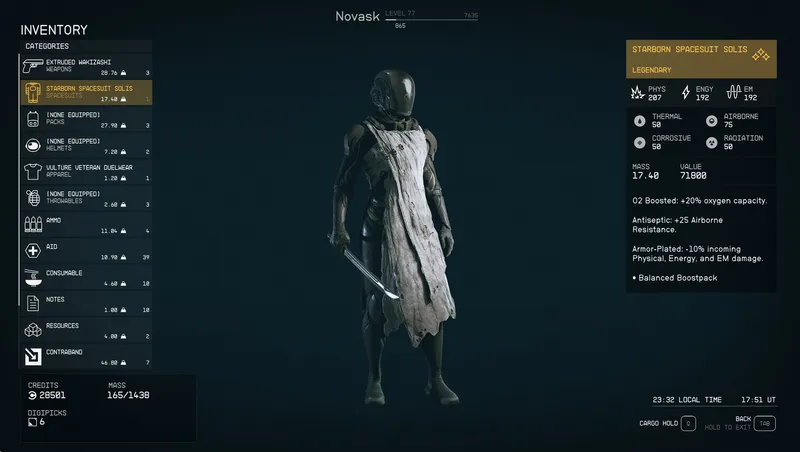
By FSNovask • 2 years ago
PraxisUI Inventory is a close-to-vanilla inventory mod that adds essential quality-of-life features
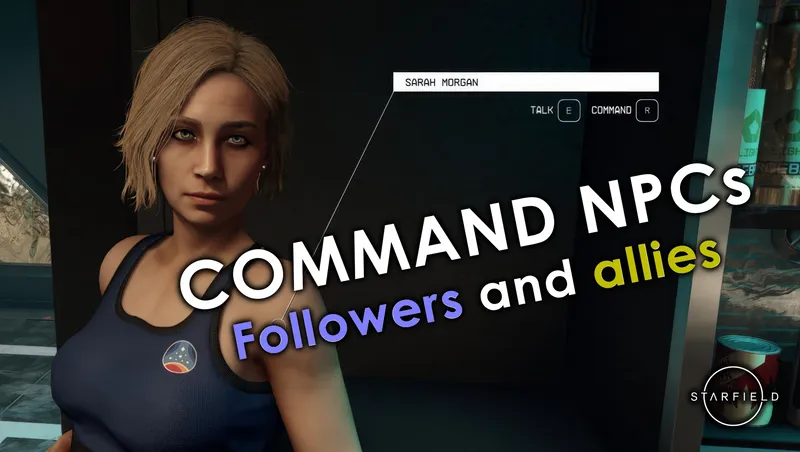
By xtcrefugee • 2 years ago
Allows the player to command followers and other allies to do things, as was possible in previous Bethesda games. Also allows you to access the inventories of unnamed crew.

By cdante • 1 year ago
A creation that allows you to monitor the metrics that describe your relationship with your four companions in Starfield.
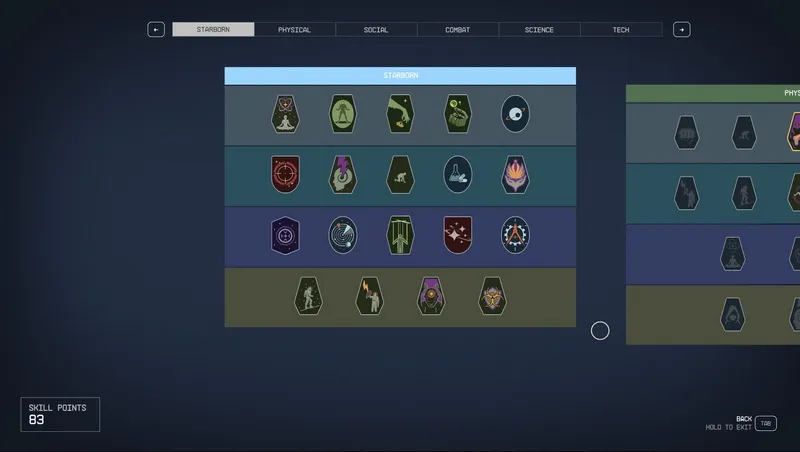
By senter.pat • 2 years ago
Adds 19 new perks to a Starborn tree using FSNovask's resource allowing for a new perk tree. The resource is included.
Quick Actions
Your Rating
Sign in to rate and review this mod—your vote helps the community.
Community Rating
Categories
Mod Information
- Published
- Apr 03, 2025
- Last Updated
- May 15, 2026
- Platforms
- Playstation, Xbox
Search Mods
More by ZeeOgre
Related Starfield Mods